
I built Progress11 because I got tired of the friction.
Not the hard parts of coding. Those are fine. I'm talking about the hundred little things you do every single day that slow you down. Opening a terminal. Typing git add .. Writing a commit message. Running git pull before you push. Restarting a dev server. Opening localhost in a browser.
None of these are difficult. But they add up. They break your flow. They're the tax you pay for doing actual work.
So I built something to make them disappear.
The First Thing I Open
Progress11 is my dashboard. It's the first thing I open before I start a day's work.
All my projects in one place. Tabs for each repo. Quick links to open in Finder, open in terminal, open on GitHub, open localhost. Everything I need to get started, from one place.
No hunting through folders. No remembering which port this project runs on. No opening three different apps before I can actually start working.
I open Progress11. I see my projects. I click one button to start the dev server and open the browser. I'm working.
That's the design. A home base for your development day.
One-Click Features...

What Progress11 Is (And Isn't)
Progress11 is not trying to replace anything.
It's not a replacement for Cursor. It's not a replacement for your terminal. It's not for hardcore programmers who want full hands-on control over every git flag and option.
It's for vibe coders. People who know enough to be dangerous. People who are moving fast, building things, and don't want to context-switch into a terminal every five minutes to do something they've done a thousand times before.
If you want to get advanced, open your AI agent. Open your terminal suite. Progress11 stays out of your way.
But for the simple stuff? One click.
My Favorite Feature: Quick Commit
This is the one that saves me the most time.
Here's what normally happens: Stage files. Think of a commit message. Write the commit message. Hit commit.
Here's what happens with Quick Commit: Click one button. That's it.
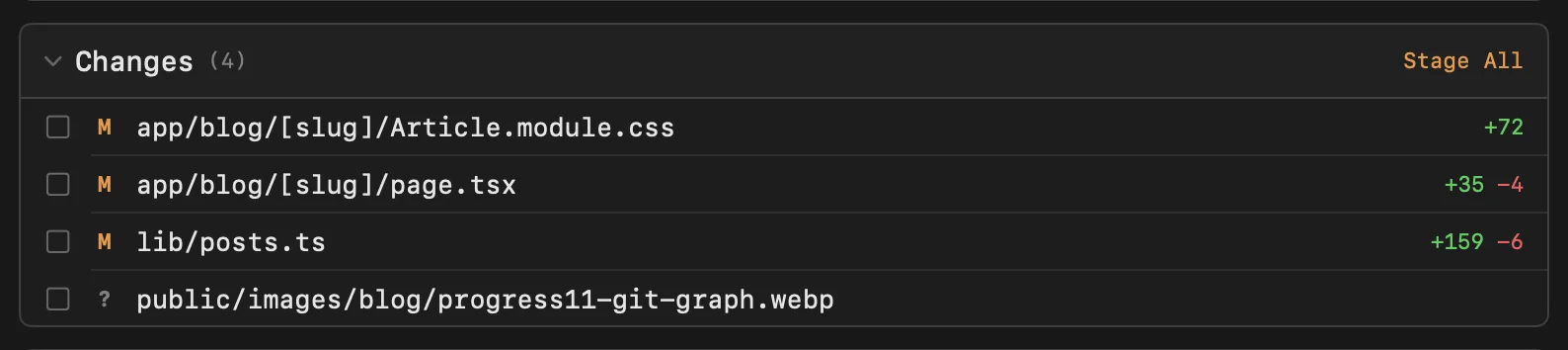
Progress11 stages everything, uses AI to analyze your diff and write a sensible commit message, and commits. Done.
I use Claude for mine, but you can plug in OpenAI or Gemini if that's your preference. Just add your API key in settings.
The commit messages are actually good. They describe what changed, not just "fixed stuff" or "updates". And if you want to tweak it before committing, you can.
Pre-PR Push and Pull
Before you push, you should pull. Before you open a PR, you should make sure you're in sync.
Everyone knows this. Everyone forgets this. Everyone deals with merge conflicts they could have avoided.
Progress11 puts the basic commands on one button. Pull, push, fetch. No terminal. No typing. Just click.
Dev Servers Without the Terminal
I got tired of opening a terminal, cd-ing to my project, running bun run dev, opening a browser, and navigating to localhost:3000.
Now I just click the play button. Progress11 starts the server and opens the browser. Click again to stop it. The output is right there if you need it.
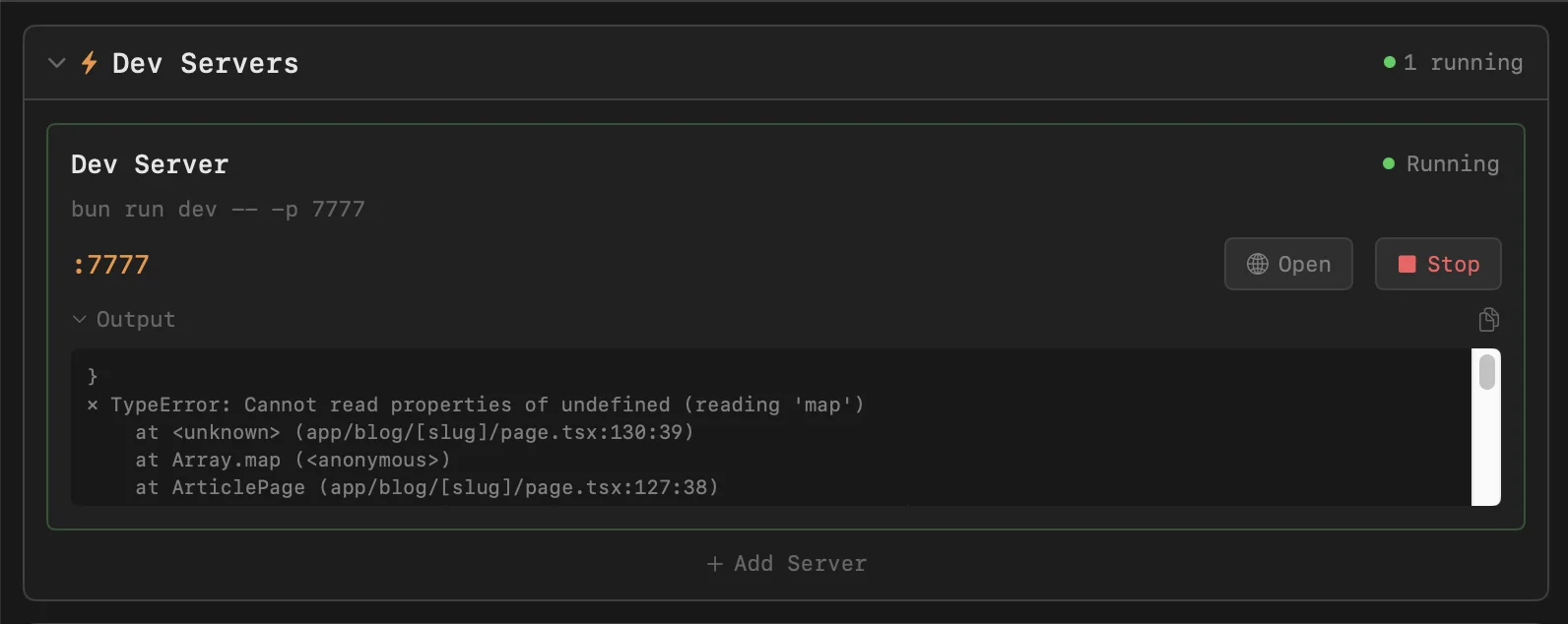
You can add multiple servers. It auto-detects the port. It just works.
Preview Any Commit in Your Browser
This one's magic.
You're looking at your git history and you think, "What did the app look like three commits ago?"
Hover over the commit. Click the eye icon. Progress11 spins up a separate instance of your app at that exact commit, installs dependencies, starts a dev server on a different port, and opens your browser.
No checkout. No stashing your current work. No remembering to switch back. It runs in a temporary directory and cleans up after itself.
The Visual Git Graph
I'm a visual person. I want to see my commits, not read a log.
The git graph shows your history as a timeline. Branches are color-coded. HEAD is highlighted. Click any commit to see what files changed.
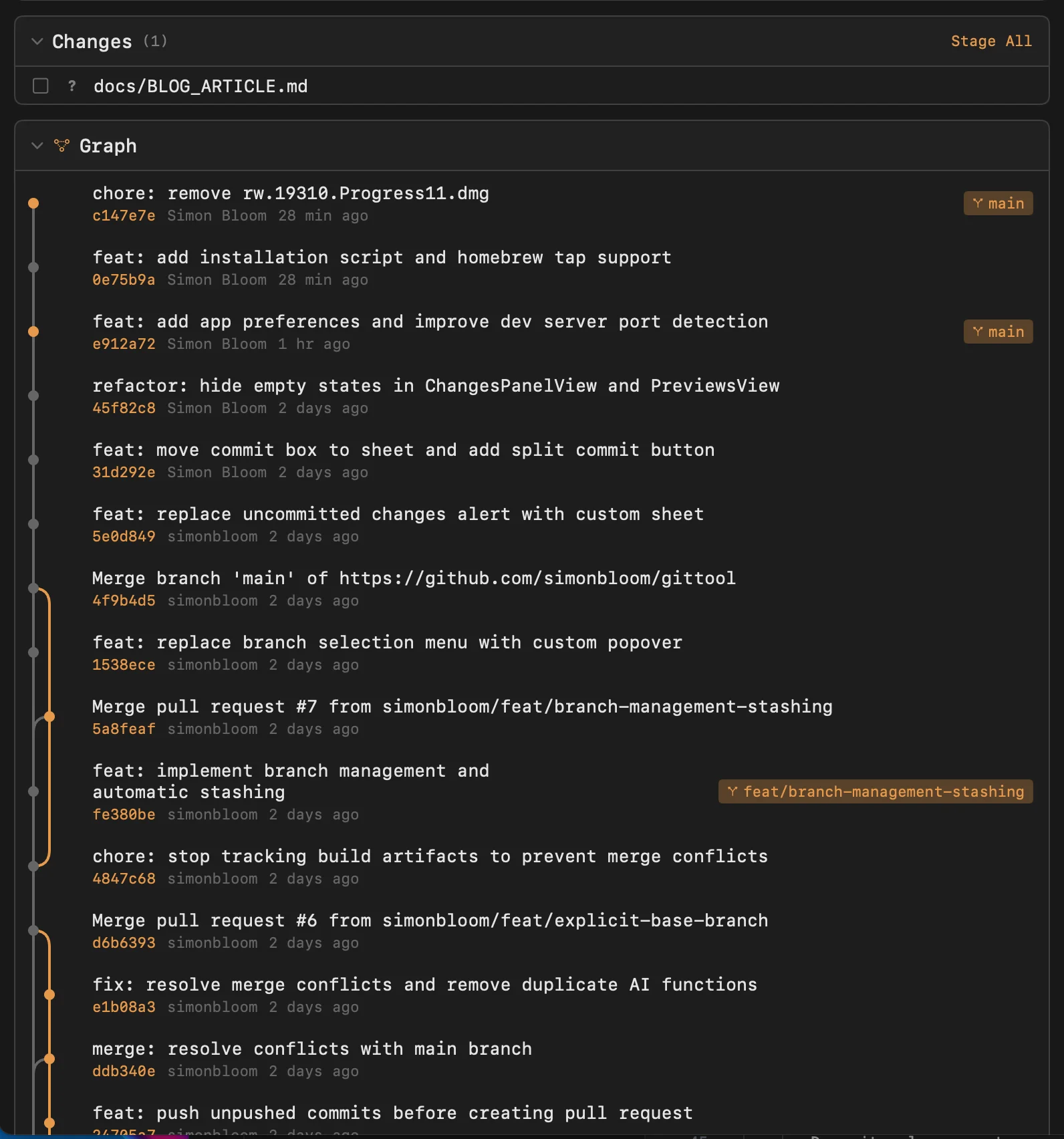
Right-click to copy the SHA, copy the message, or preview in browser.
The Philosophy
Progress11 exists because of one belief:
If you do something a hundred times a day, it should take one click.
Not two clicks. Not a terminal command. Not a keyboard shortcut you have to remember.
One click. That's it. That's the whole philosophy.
How to Get It
Progress11 is free. It's a native macOS app.
One-line install (recommended):
curl -fsSL https://raw.githubusercontent.com/simonbloom/gittool-releases/main/install.sh | bashOr use Homebrew:
brew install --cask simonbloom/tap/progress11Or download the latest DMG from GitHub Releases.
A Note on Signing
Progress11 isn't signed with an Apple Developer certificate. I'm not paying Apple $99/year for the privilege of giving away free software.
The install methods above handle this automatically. If you download manually and see "app is damaged", just run:
xattr -cr /Applications/Progress11.appThen it works fine.
Progress11. One click. Move on.