
This started as a simple question: if I already have a website, can an AI agent turn it into a proper DESIGN.md file instead of a vague list of colours and fonts?
The answer ended up being much better than I expected. I used Claude 4.7 inside Factory, gave it the Bloomindesign project, then pushed it to create the Style Guide: not only a design-system document but a rendered HTML preview I could actually inspect. The result was close enough that it felt less like a summary and more like the site had explained its own visual logic back to me.
The finished skill is here: github.com/simonbloom/design-system-extractor-skill. You can also open the live example files directly: preview the DESIGN.md file and preview the rendered design system.
Important caveat: this is not a comparison article yet. This Bloomindesign Style Guide was created with Claude 4.7 inside Factory, and I have not tested the same skill in Codex, Claude Design, Stitch, or other builders yet. That testing article is still to come.
The discovery process was the interesting part
The first version of the workflow was useful, but a little too trusting. It could inspect a homepage, extract the obvious palette, typography, buttons, and cards, then write a decent DESIGN.md. That is fine for a starter, but it misses the parts of a product that live off the homepage.
Bloomindesign exposed that immediately. The homepage has the big visual system: the 24px grid, Overpass Mono everywhere, square crop-mark cards, paper and graphite themes, and the matrix mode. But the blog has its own article cards, browser-frame images, tags, table/list views, and article body patterns. A real design-system extractor has to go looking for those things.
So the skill now does a component coverage sweep before it writes the design system. It checks routes, folders, nav links, blog/article paths, docs, pricing, dashboards, settings, auth screens, and likely component names. It produces a component-inventory.md so missing pieces are visible before the final file is written.
What the skill asks for
The output is more than a markdown file
The big improvement was making the skill create a visual preview every time. A DESIGN.md is meant for agents, but I still need to see whether the extraction feels right.
The skill writes the design system, then renders design-system-preview.html. That preview shows colour swatches, type samples, spacing, radius, buttons, cards, forms, badges, alerts, nav patterns, content cards, and the major prose sections. It then opens the preview in the browser so the whole thing can be judged visually.
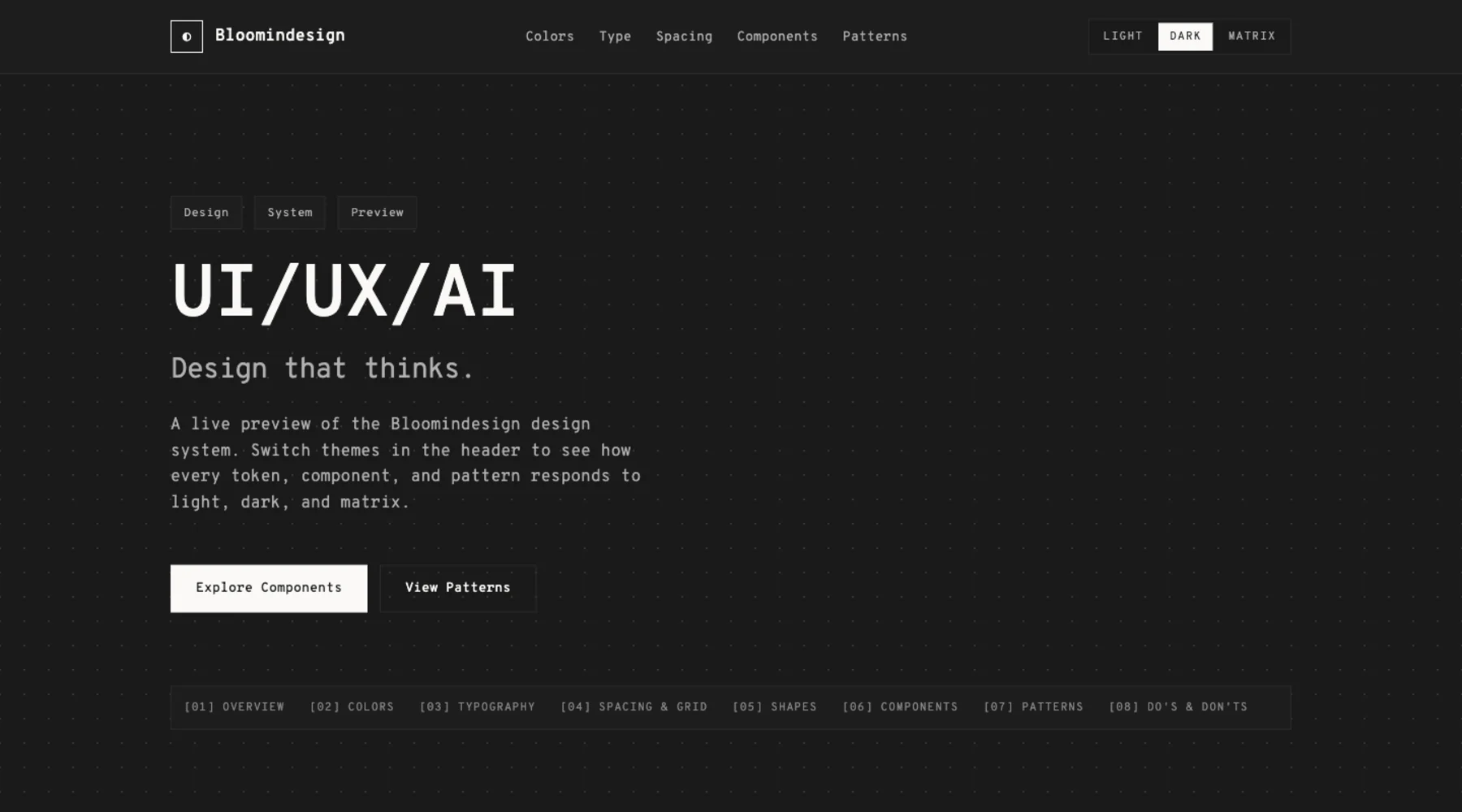
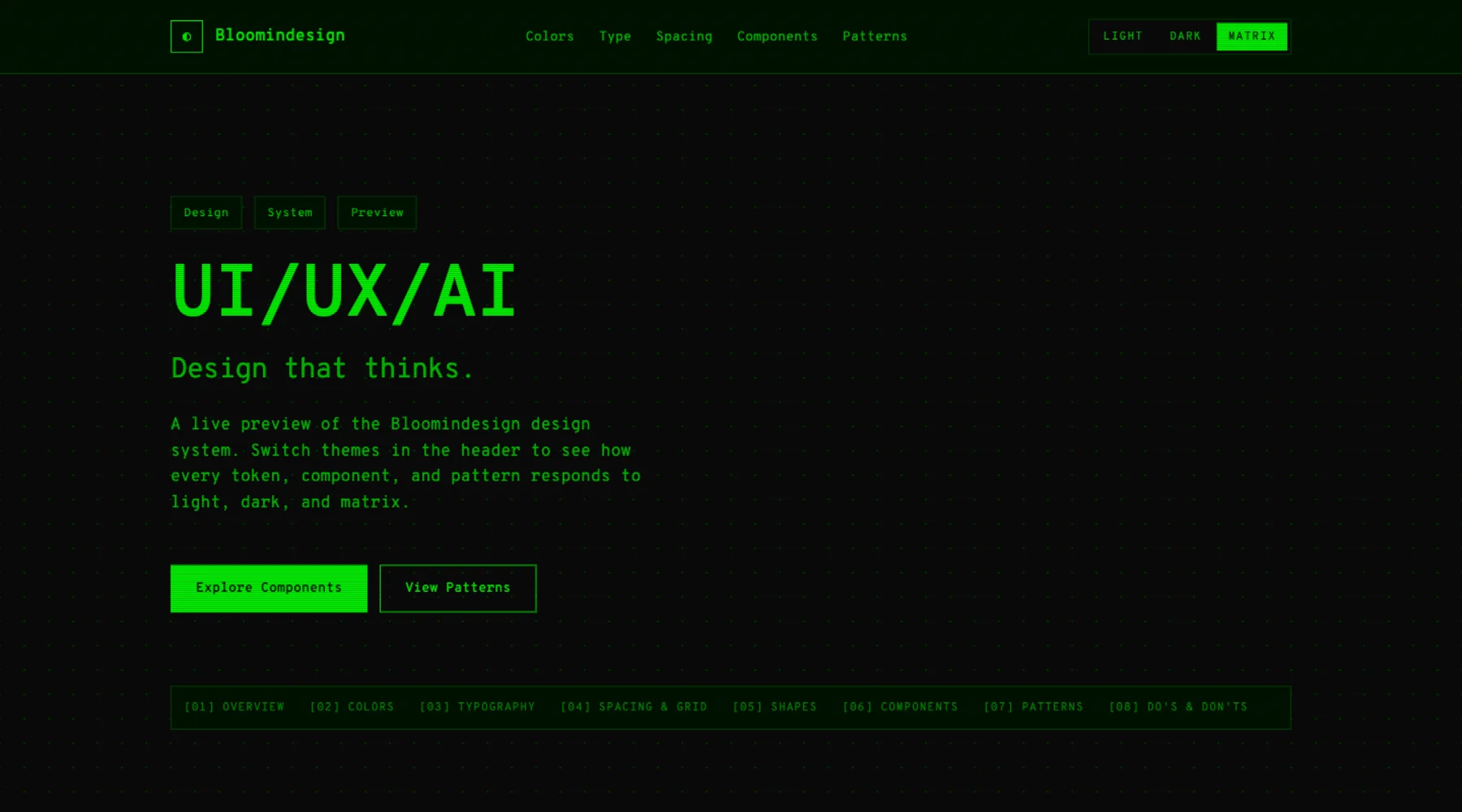
This is where the process became properly useful. I could see the system, not just read it. The font rendering, the card treatment, the strict square geometry, the preview modes, and the crop-mark energy all came through.
A glimpse of the DESIGN.md
The generated file is not a tiny prompt. It is a long, structured document that tells another agent how Bloomindesign should behave visually.
---
version: alpha
name: Bloomindesign
description: Technical-architect, monospace-first portfolio design language for a UI/UX/AI studio. A 24px grid, paper-vs-graphite palette, hand-drawn editorial robots, and precise crop-mark cards that work across three themes (light, dark, matrix).
---

## Overview

Bloomindesign is the personal studio of Simon Bloom, a 20+ year UX designer working in UI/UX and AI. The site reads like a draftsman's notebook: warm paper, dark graphite, generous whitespace, and an obsessive 24px grid printed faintly across every section.

## Components

Crop-mark cards are the signature component. Cards never use rounded corners. Buttons never use rounded corners. The system is square by default; the only rounded shapes are the faux browser dots and faux phone frames.
That is the level of instruction I want future agents to have. Not “make it modern”. Not “use a dark theme”. More like: here is the geometry, the rhythm, the language, the exceptions, the interaction states, and the places where the system is allowed to bend.
Preview the result
There are two useful previews from the article:
Why this is useful
The biggest win is that this turns design memory into something portable. Bloomindesign is no longer only a website and a bunch of CSS files. It has a written visual contract that I can now test in Droid, Codex, Claude, Cursor, Stitch, v0, Aura, Lovable, or whatever builder I use next.
That matters because design drift is usually quiet. An agent makes a new section, picks a plausible card style, rounds the corners a bit, adds a generic gradient, and suddenly the work is technically fine but visually wrong. A good DESIGN.md gives the agent a stronger centre of gravity.
The repo version of the skill now includes the Bloomindesign example so the workflow is not abstract. You can see the source DESIGN.md, open the HTML preview, and inspect the files the skill produces.
What I changed after seeing the result
The first output was almost perfect, but it missed one important thing: article cards. That was the clue that the extractor needed to look beyond the first screen and explicitly audit page types.
So I updated the skill to require a route and component sweep. It now checks for blog/articles/news/resource pages, content detail pages, pricing, testimonials, dashboards, settings, forms, and mode variants. If a component exists but is not documented, the skill is supposed to add it before rendering the preview.
The lesson: the best design-system extraction is not just token extraction. It is discovery. You need to ask what pages exist, what components are hiding there, and what future screens would break if those rules were missing.
The prompt shape
The skill is written so I can use it in Factory Droid and adapt it for Codex, but this first Bloomindesign result only covers the Factory run. The useful version of the prompt is short because the skill carries the process.
/design-system-extractor

Create a production-grade DESIGN.md from this project.
Use the source app, the live URL, and screenshots.
Check light, dark, and matrix modes.
Create the visual preview and open it when done.
That is the whole point of making it a skill. I do not want to remember the extraction checklist every time. I want the agent to ask for the right evidence, inspect the right routes, produce the right files, and show me the result.
Where it lives
The skill is now on GitHub, with the Bloomindesign example included:
https://github.com/simonbloom/design-system-extractor-skillThe useful files in the example are the same ones I would expect from any serious extraction: DESIGN.md, design-system-preview.html, tokens.css, tokens.json, extraction-notes.md, screenshots, and a reusable prompt.
For me, this is the interesting direction: not just AI generating interfaces, but AI helping preserve and reuse the design language of the things I have already built.